


Updates
DEUS II V4.0 update

Deus II Software Update – Version 4.0 now available!
We have released version 4.0, which continues to improve the Deus II and adds the following features:
ATTENTION
Version 4.0 currently applies only to users who own a wireless stereo headset: WSA-ST, WSA XL ST, or WS6 ST.
Do not update to version 4 if you do not own a wireless stereo headset, otherwise your headset will not turn on, in this case return your remote to v3.1.
Version 4.1, which will be available soon, will also allow the use of non-stereo headsets (WSA2, WSA2 XL, WS6), and will also bring additional improvements:
- The MI-6 pinpointer sound will benefit from a dynamic stereo spatialization when connected to the DEUS 2 with an XP stereo headset.
- The 4th Audio Type, Low Square, will be available even for users who do not own a stereo headset (WSA-ST / WSA XL ST / WS6 ST).
- The WS6 Master will include all stereo Multi-Processing menus : Multi-Reactivity / Morphing, enabling it to control a stereo headset (WSA-ST / WSA XL ST / WS6 ST).
- Audio improvements.
List of updates & innovations
Stereo Multi-Processing
A new detection architecture allowing two fully independent detection channels to operate simultaneously, spatialized in true stereo.
Multi-Reactivity
The ability to run two different Reactivity settings at the same time, eliminating the compromise between depth and target separation.
Dual detection modes in parallel
Combine static and dynamic detection modes simultaneously, each assigned to its own channel.
Independent channel configuration
Full control over each detection channel, with independent:
- Audio Type
- Tone set
- Sensitivity
- Volume
- Stereo position (left / right)
Audio Morphing
A new audio behaviour that dynamically transforms one audio signature into another as you approach the target, improving perception of depth and distance.
Stereo Audio Morphing
The combination of Audio Morphing with Stereo Multi-Processing, creating a dynamic stereo soundscape where sounds evolve and spatialize in real time.
Enhanced ferrous identification
Ability to create highly distinctive audio signatures, making iron identification faster and more reliable in complex or polluted ground.
Optimised stereo headphone integration
Full unlocking of V4 features when used with XP stereo headphones (WSA-ST, WSA-XL ST, WS6 ST).
New audio perception and listening comfort
Reduced listening fatigue and more intuitive target interpretation during long detecting sessions.
WS6-ST AND WSAII-ST / WSA-XL-ST HEADPHONES
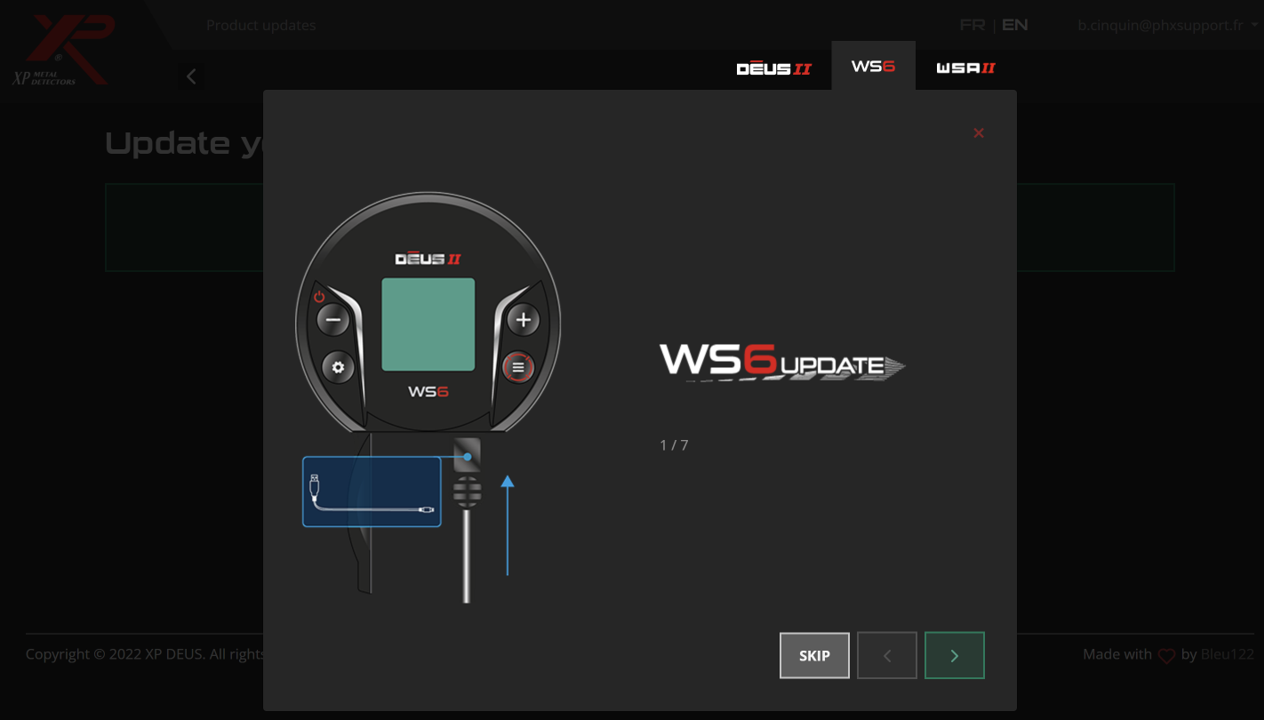
- Select the "WS6-ST or WSA-ST" tab at the top of the updater page. The WSA-ST and WSA-XL-ST use the same updater file / tab.
- Follow the instructions given by the updater to set your headphones to update mode.
CUSTOMISED USER PROGRAMS
VIDEOS
1 Access the updater:
Visit XP’s official online updater page from your computer (preferably using Google Chrome or Microsoft Edge).
2 Connect your remote control:
Use the USB cable to connect the remote to your computer. Make sure it is turned on.
3 Select your device:
At the top of the updater page, choose the appropriate tab:
- Remote for the remote control
- WS6-ST or WSA-ST for headphones (WS6-ST, WSA-ST, WSA-XL-ST)
4 Follow the on-screen instructions:
The updater will guide you step by step. If you are updating the headphones, you will need to put them in update mode by following the instructions provided.
5 Update all devices to the same version:
Make sure your remote, headphones, and any other accessories are all updated to the same firmware version; otherwise, they will not work together properly.
Comments