


News
DEUS II V4.1 update
Deus II Software Update – Version 4.1 now available!
Expanded Audio. Full Ecosystem Compatibility. Even More Control.
Version 4.1 of the DEUS II further enhances performance and strengthens the consistency of the XP ecosystem.
It introduces new audio options, improves MI-6 management, and expands compatibility with all peripherals.
With Version 4.1, DEUS II is now fully compatible with the entire ecosystem, including:
- Remote control
- WS6
- WSA II (XL)
- WS6ST
- WSA (XL) ST
LIST OF UPDATES & INNOVATIONS
Advanced Audio Evolution
V4.1 builds on the major stereo innovations introduced in V4.0 and adds:
New Audio Type – LOW SQUARE
Now available for WS6 and WSA II (XL) users.
A refined square audio with lower tonal profile for enhanced comfort and subtle target analysis.
New MI-6 Audio Options (Stereo Type Audio)
- PITCH FX
- PITCH LOW (Also available for WS6 and WSAII (XL) users)
Independent MI-6 Volume Control
Adjust the MI-6 volume independently from the detector volume.
More control. More precision. More comfort.
Improved Static Mode (CH2)
A subtle pitch added in static mode (CH2) to better detect signal variations that may reveal deep targets.
Ideal for advanced users searching for maximum depth.
Chorus (FX) Effects Expanded
All Chorus (FX) effects are now generalized across both channels.
A more immersive and dynamic stereo experience.
Wireless Reliability Improved
Enhanced wireless stability with:
- Coils
- MI-6
More confidence in demanding environments.
Additional Fixes & Improvements
Includes various corrections and improvements, including updates related to the XTREM HUNTER.
WHY UPDATE?
Because DEUS II is not just a detector.
It is an evolving high-performance platform.
V4.1 reinforces:
- Audio mastery
- Ecosystem coherence
- Wireless reliability
- Advanced user control
NORMAL AND STEREO HEADPHONES
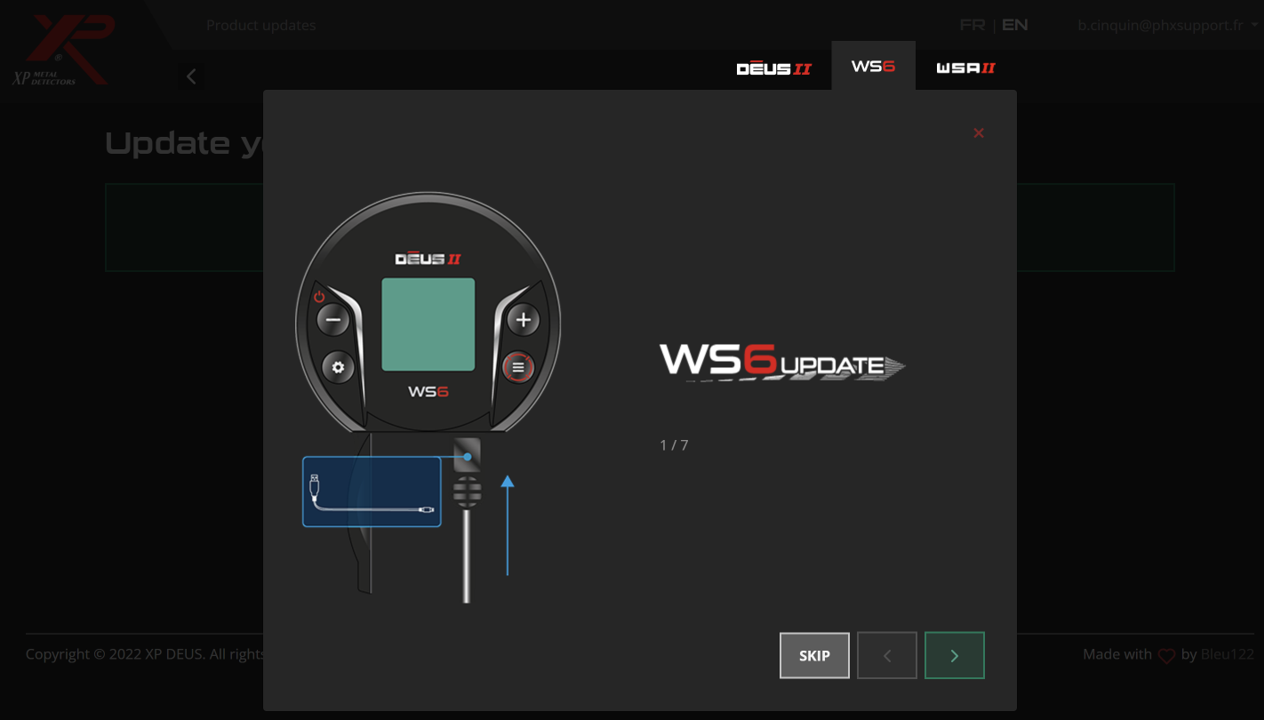
- Select the model tab at the top of the updater page. The WSA-ST and WSA-XL-ST use the same updater file / tab.
- Follow the instructions given by the updater to set your headphones to update mode.
CUSTOMISED USER PROGRAMS
VIDEOS
1 Access the updater:
Visit XP’s official online updater page from your computer (preferably using Google Chrome or Microsoft Edge).
2 Connect your remote control:
Use the USB cable to connect the remote to your computer. Make sure it is turned on.
3 Select your device:
At the top of the updater page, choose the appropriate tab:
- Remote for the remote control
- WS6-ST or WSA-ST for headphones (WS6-ST, WSA-ST, WSA-XL-ST)
4 Follow the on-screen instructions:
The updater will guide you step by step. If you are updating the headphones, you will need to put them in update mode by following the instructions provided.
5 Update all devices to the same version:
Make sure your remote, headphones, and any other accessories are all updated to the same firmware version; otherwise, they will not work together properly.
Comments